
To re-open a licence, simply:
- Navigate to the licence that you want to re-open (using the licence list or quick search)
- Select the drop-down in the top right corner:
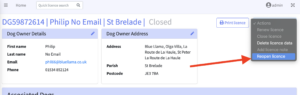
- Follow the on-screen instructions to re-open the licence.
IMPORTANT NOTE: You may be faced with an on-screen pop-up that looks like this:

This simply means that the licence has already been re-opened, using the same email address. In this instance, all of the old licence data (ie. the data on the licence that you just tried to re-open) has been migrated to the new licence.
It is also important to note that on this new, re-opened licence the email address is the same as the previous licence HOWEVER the licence number will be new and unique.