
- Navigate to ‘Licences’ in the left-hand sidebar
- Select the ‘+ Add licence’ button on the top right of the page:

- Fill out all of the fields. It is okay to leave fields blank that do not contain an asterisk next to them:
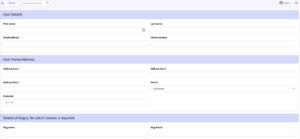
- Use the ‘Add another dog’ button to add as many dogs as required
- Select the method of payment used by the dog owner
- Click on ‘Create licence’
- If you would like to notify the dog owner of their new licence then select the checkbox ‘Notify Licence Holder Via Email’ before selecting ‘Create Licence’. This will send a new licence confirmation along with a PDF containing the details of their licence.