
IMPORTANT: Licences cannot be re-opened so please make sure that this is the correct action to take before proceeding e.g. the owner has passed away, the owner has left Jersey or the licence holder has reported that they no longer own a dog.
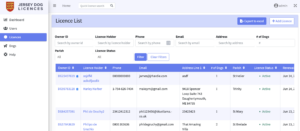
- First, locate the licence that you wish to close. You can do this by either going to the Licence list (from the left-hand) sidebar and then using Filters to search for them. You can also use the Quick Search Function.
- Click on the owner ID or Licence holder to navigate to their licence:

- Click on ‘Actions’ in the top right corner.
- Select “Close Licence”.
- Before closing the licence you will be asked to provide a reason for closure.
PLEASE NOTE: If the reason for closure is because there are no more dogs on the licence then please first, manually remove all dogs from the licence. (See editing a dog’s details or removing a dog from a licence if you are unsure how to do this) - Click the ‘Close licence’ button.