
- Navigate to ‘Users’ in the left-hand pane
- In the furthest right-hand column, select the purple ‘show’ icon for the user that you want to update.

- This will bring up their profile. From here select ‘reset password’:
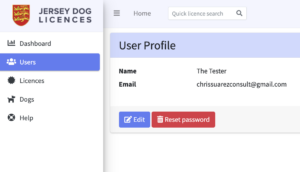
- The user will be sent an email which includes a temporary password that they can use to access their account. You may want to encourage them to update their password to something more memorable. Please see Change Your Password with instructions on how to do this.
Please note that the email may take several minutes to arrive.